
Sat 2/1
Get a good look. We talk about Cleveland neighborhoods every day, but do we even know what one looks like? How can you visualize a neighborhood, and what does it consist of? While the grey area of turning something conceptual into something visual is massive, CoolCleveland Mobile is on the mission.

Open up your CoolCleveland Mobile and head on over to your Neighborhoods Tab. Once you’re in the Neighborhoods Tab, you’ll be able to scroll through different neighborhoods and select the one you would like to visualize. For this demonstration we’re going to use Little Italy.
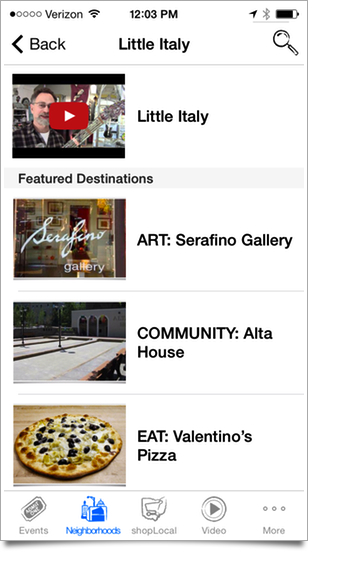
Once you click on the Little Italy neighborhood you will be able to see the main page where there is a General Description section and a list of Featured Destination for the neighborhood. In order to find a map for the entire neighborhood click on the General Description section.

Here you will find general information on the neighborhood, maybe a video, and of course our favorite button: the map! In the upper right hand corner there will be a button for the maps. Click on the button, and a map will appear that displays all of the Featured Destinations in an entire neighborhood.

How cool is that? We just love seeing those pins drop, and being able to finally visualize a neighborhood. It may just be a map for some, but for us, it’s a symbol to show how fun and amazing Cleveland has grown to be. Make sure you stay tuned to CoolCleveland for more Mobile tips, news, events and everything else happening in the 216.